Disclosure: This article may contain affiliate links in the product sections you add. If you buy through them, we may earn a small commission at no extra cost to you. This guide is independent and is not affiliated with the heater’s manufacturer.
You plug in your Handy Heater Turbo, press the button, and nothing happens. The display stays dark, or it lights up but no warmth comes out. Before you assume it is broken, know that most “dead heater” problems have simple causes you can check in a few minutes.
This guide walks you through every common reason a Handy Heater Turbo will not turn on, how to fix each one safely, and how to tell when it is time to stop and replace the unit.
Most of the time the problem is the outlet, not the heater. Test the outlet with another device, reset any GFCI or breaker, then set the heater’s temperature above the current room temperature and check the timer. If the display still stays dark in a working outlet, the unit is likely faulty and should be returned or replaced rather than repaired.
Table of Contents
- About the Handy Heater Turbo
- Quick Two-Minute Checks
- Troubleshooting Flowchart
- Cause 1: The Outlet Has No Power
- Cause 2: The Thermostat Is Set Too Low
- Cause 3: Timer or Power Settings
- Cause 4: Loose Plug or Worn Outlet
- Cause 5: Overheat Auto Shut-Off
- Cause 6: A Faulty or Imitation Unit
- What the Display Is Telling You
- When to Stop Using It
- Warranty, Returns and Repairs
- How to Prevent Problems
- Is It Time to Replace It?
- Frequently Asked Questions
- Final Verdict
About the Handy Heater Turbo
The Handy Heater Turbo, commonly sold as the Turbo 800, is a compact plug-in heater with a ceramic heating element. It plugs directly into a wall outlet and is generally described as having an 800 watt output, a digital display, an adjustable thermostat, a programmable timer and automatic shut-off. Exact features and controls vary by seller and version, so your manual is the final reference for your unit.
Two points matter for troubleshooting. First, because it plugs straight into the wall, the heater depends entirely on the outlet providing a good connection and steady power. Second, it has a thermostat and timer, so it can deliberately stay off even when it is working perfectly.
Quick Two-Minute Checks
- Press the power button and check that the heater is not simply in standby.
- Look at the display. A lit display means power is arriving.
- Raise the set temperature well above the room temperature.
- Check the timer and make sure it is not set to turn the heater off.
- Try a different wall outlet.
- Read your manual for the exact button sequence of your model.
Troubleshooting Flowchart
Cause 1: The Outlet Has No Power
This is the most common cause. The heater cannot start if the outlet is dead, and many outlets in kitchens, bathrooms, garages and outdoor areas are protected by a GFCI that trips easily.
- Plug in a lamp, phone charger or small fan to see whether the outlet works.
- If the outlet is dead, press the RESET button on any nearby GFCI outlet.
- Check your breaker panel for a tripped breaker and reset it once.
- If a breaker trips again immediately, stop and call an electrician.
- Try a different outlet on a different circuit.
Plug the heater straight into the wall. Do not use a power strip, surge protector or extension cord with a heater, as they can overheat and may cause the heater to behave erratically.
Cause 2: The Thermostat Is Set Too Low
Many people think the heater is broken when it is simply doing its job. A heater with a thermostat only runs when the room is colder than the temperature you set. If the room is already at or above that setting, the heating element stays off, even though the display is on.
To test, raise the set temperature by several degrees above the room temperature and wait a minute. If warm air begins to come out, there is nothing wrong with the heater.
Cause 3: Timer or Power Settings
The Turbo 800 is described as having a programmable timer. If the timer is set and has already run out, or has been set to a delayed start, the heater will not heat when you expect it to.
- Clear or cancel any timer setting, following your manual.
- Press the power button to turn the unit fully on.
- Unplug the heater for about 10 minutes and plug it back in to reset the controls.
- Check that the display is not in a different mode, such as a temperature view rather than a heating mode.
Cause 4: Loose Plug or Worn Outlet
Because the heater hangs directly from the outlet, a worn or loose receptacle can cause poor contact. Symptoms include a flickering display, a heater that turns on only when held in place, or one that stops when bumped.
- Try a different outlet that grips the plug firmly.
- Make sure the plug is pushed fully in.
- Feel the plug and outlet cover after a few minutes of use. If either is hot, unplug it and stop using that outlet.
- Have worn or loose outlets replaced by a qualified electrician.
Cause 5: Overheat Auto Shut-Off
The heater includes automatic shut-off protection. If the vents are blocked by dust, curtains or furniture, the unit can overheat and switch itself off. It may refuse to restart until it cools.
- Unplug the heater and let it cool for at least 30 minutes.
- Clear dust from the vents with a soft brush or a vacuum on a gentle setting, while it is unplugged.
- Make sure nothing is within 3 feet (1 meter) of the heater and that nothing blocks airflow.
- Do not plug other items into the lower outlet if it makes the heater run hotter, unless your manual says it is safe.
Cause 6: A Faulty or Imitation Unit
If the display stays dark in a working outlet, the heater has likely failed internally. This can happen with a failed control board, a blown internal fuse or a thermal cutoff that has tripped for good. Inexpensive imitations sold under similar names can also be less reliable than genuine products.
- Do not open the heater or try to bypass any safety part. These parts exist to prevent fires.
- Check for visible damage, discoloration or a burning smell.
- Contact the seller or manufacturer about a return, replacement or warranty claim.
What the Display Is Telling You
| What You See | Likely Meaning | What To Do |
|---|---|---|
| Display is completely dark | No power reaching the heater, or an internal fault | Test the outlet, reset the GFCI, check the breaker, try another outlet |
| Display is lit but no warmth | Set temperature is below the room temperature, or the timer is off | Raise the set temperature and check the timer settings |
| Heater ran, then stopped | Reached the set temperature, timer ended, or overheat protection | Check settings, unplug, let it cool, clean the vents |
| Display flickers or turns on and off | Loose plug, worn outlet or unstable power | Try a different outlet, stop if the plug feels hot |
| Burning smell, melted plug or sparks | Serious fault | Unplug if safe and stop using it. Do not use again |
When to Stop Using It
Some signs mean the heater is no longer safe, and troubleshooting should stop right away.
Warranty, Returns and Repairs
- Check your receipt and order page for the return window and warranty terms. These differ between sellers.
- Keep the packaging and proof of purchase until you are sure the heater works.
- Contact the seller first. Retailers often handle exchanges for small heaters faster than the manufacturer.
- Do not attempt DIY repairs. Opening a heater can void the warranty and create a safety hazard.
- Recycle responsibly if the unit cannot be repaired. Many areas have electronics recycling.
How to Prevent Problems
- Plug it into a healthy outlet that grips the plug firmly.
- Clean the vents every few weeks during heavy use.
- Keep the heater clear of curtains, bedding and furniture.
- Use the thermostat and timer instead of leaving it running constantly.
- Do not use it in damp areas unless the manual says that it is rated for them.
- Unplug it when it is not in use for long periods.
- Store it dry and clean in the off season.
Is It Time to Replace It?
Consider replacing the heater if it still will not power on after you have tested the outlet, adjusted the settings and let it cool. Also replace it if it shows any of the warning signs above, or if it is out of warranty and repair is not practical.
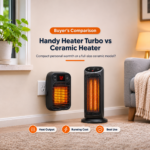
Before you buy another one, think about whether a small plug-in heater suits your needs. An 800 watt heater produces about 2,730 BTU per hour. That is enough for a small personal space, a desk or a small bathroom, but not for a large room. A common rule of thumb is about 10 watts per square foot, which suggests roughly 80 square feet for an 800 watt heater. Advertised room sizes can be more optimistic than that.
Look for a recognized safety certification, tip-over or overheat protection where relevant, an adjustable thermostat, a timer, enough wattage for your room, clear return terms and a seller with good reviews.
Frequently Asked Questions
Why is my Handy Heater Turbo not turning on?
The most common reasons are a dead outlet or tripped GFCI, a thermostat set below the room temperature, a timer setting, a loose plug or an overheat shut-off. If the display stays dark in a working outlet, the unit may be faulty.
Why does the display light up but there is no heat?
Usually the set temperature is lower than the room temperature, so the heater is idle. Raise the setting and wait a minute. It can also be a timer or an internal fault.
How do I reset my Handy Heater Turbo?
Unplug it for about 10 minutes, let it cool, plug it back into a working outlet and set the temperature above the room temperature. Check your manual for any model-specific reset steps.
Can I plug it into a power strip or extension cord?
No. Heaters should be plugged directly into a wall outlet. Power strips and extension cords can overheat and cause problems.
The heater turns off by itself. Is that normal?
It can be. A thermostat switches the heater off when the room reaches the set temperature, and a timer can shut it off. If it stops quickly and repeatedly, check for blocked vents or a loose outlet.
The plug or outlet gets warm. Is that a problem?
Slightly warm can happen with heaters, but a hot plug or outlet is not normal. Unplug the heater and stop using that outlet until an electrician checks it.
Can I fix it myself?
You can do simple checks such as testing the outlet, adjusting settings and cleaning the vents. Do not open the heater or alter safety components.
How much power does it use?
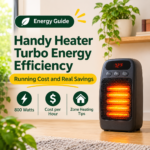
An 800 watt heater draws about 6.7 amps on a 120 volt supply and uses 0.8 kWh per hour at full power. At $0.15 per kWh, that is roughly $0.12 per hour of continuous heating.
Is the Handy Heater Turbo good for a whole room?
It is best for small spaces and personal warmth. For larger rooms, you will likely need a higher-wattage heater.
Final Verdict
When a Handy Heater Turbo will not turn on, start with the simple things: test the outlet, reset any GFCI or breaker, raise the thermostat above the room temperature, check the timer and clean the vents. These fixes solve most cases without any tools.
If the heater still does not work, or shows any warning sign, stop using it and ask for a return or replacement rather than attempting a repair. Use the checklist above to choose a safe replacement, and add your recommended products to this article to help readers find a reliable heater.